SonoBat 3 is the most powerful
bat call analysis software in the world.
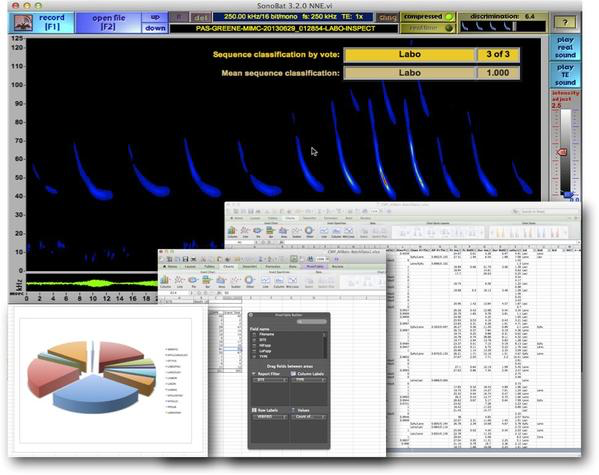
SonoBat 3 with automated species classification

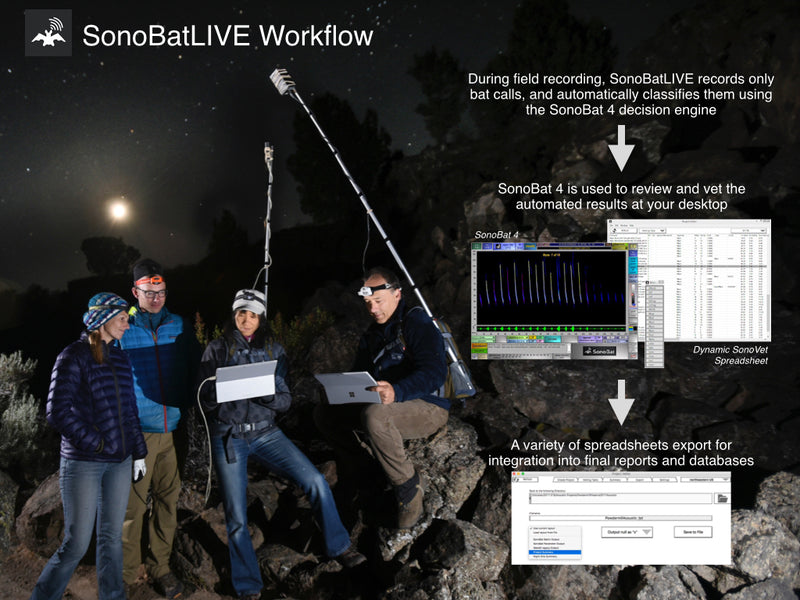
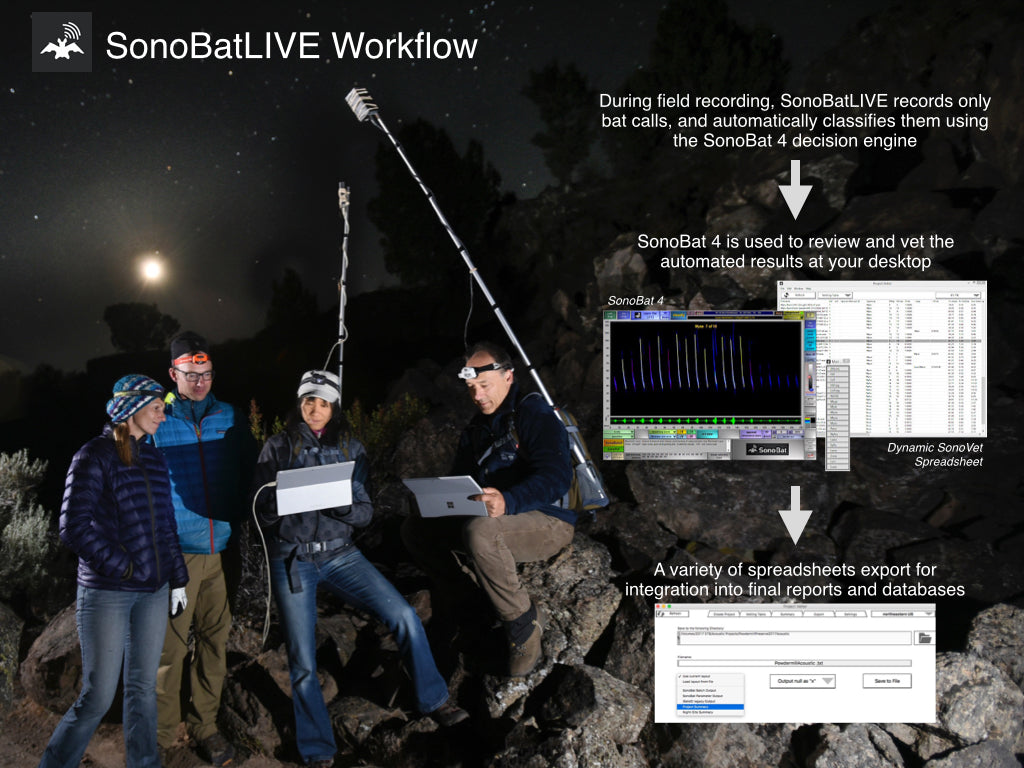
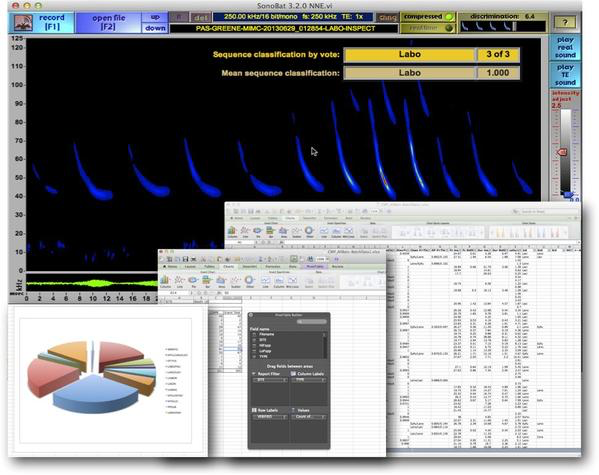
SonoBat 3 enables a powerful call classification filter system to run on an entire folder of files and output results to a spreadsheet.
Please join us for the upcoming SonoBat workshop!
|
Modern, intuitive, easy to use Current detector technology enables long-term, uninterrupted recording of full spectrum sound data to enable confident species classification. SonoBat 3 brings automated processing of recorded files and automated species classification- indispensible tools for analyzing long-term and large-scale survey and monitoring projects. SonoBat is fully compatible with the following bat detector hardware: Pettersson D240x, D500x, D1000x Binary Acoustic Technology AR125, AR180, FR125 Wildlife Acoustics SM2BAT, EM3 SonoBat should also be compatible with any other full spectrum bat detector hardware generating a .wav file. The extensive call libraries that form the filter decision engine of SonoBat 3 were recorded using Pettersson D240x detectors. |
Comparing calls is easy
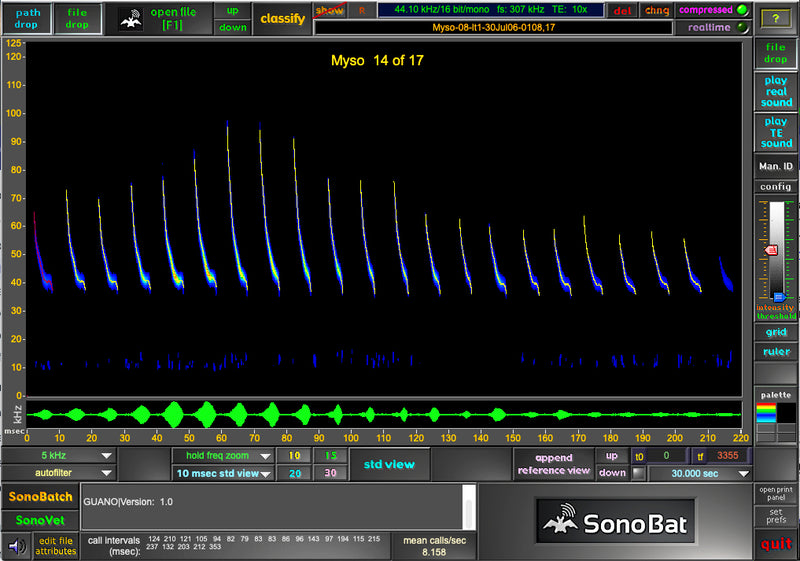
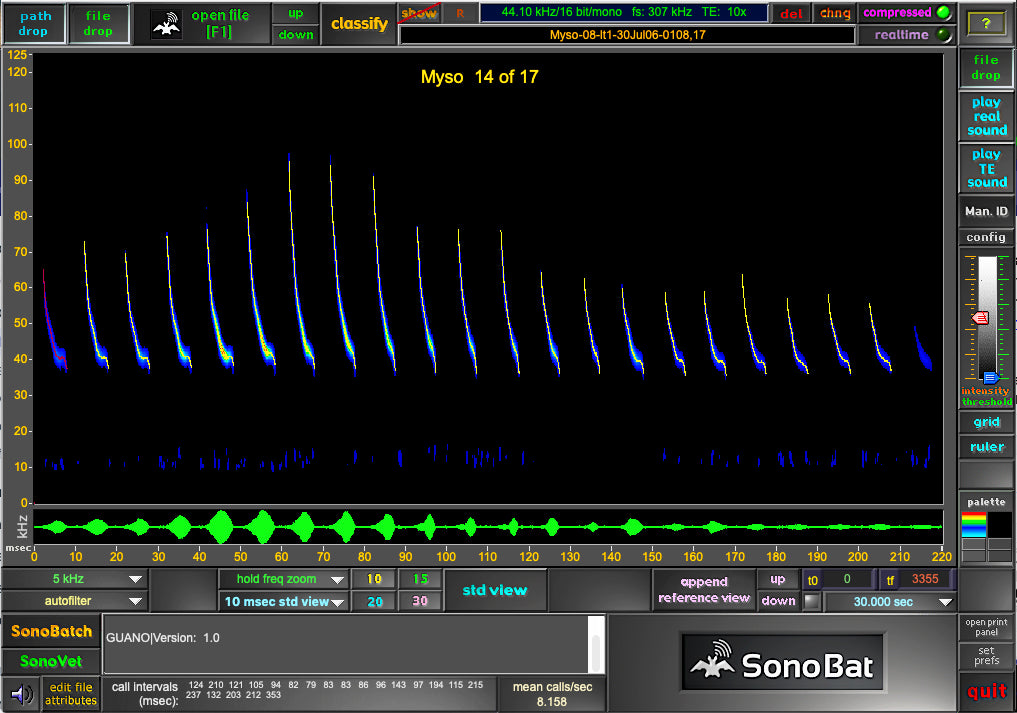
SonoBat can process calls into very high-resolution standard view sonograms to display nuances of call morphology, compare unknown calls to reference calls using the same time scale, and enable on-screen analysis of call data. Unusual Corynorhinus townsendii call compared with reference call |
||||||||||||||
|
Why use a full-spectrum detector? Because you can more confidently discriminate species. The sensitivity of time-expansion detection coupled with the high-resolution processing of SonoBat will reveal essential discriminating features often missed with low resolution Anabat processing. Read about one such feature in Joe Szewczak's abstract from the 30th annual North American Symposium on Bat Research (Miami, FL, 27-30, 2000), (2000) Bat Research News, 41:141. |
|||||||||||||||
|
Utilities included in the SonoBat suite
|
|||||||||||||||
|
SonoBat AutoParser The AutoParser scans through a digital recording to extract sections that have a signal amplitude above a designated threshold and save them as separate files. Simply set the date and start time of the digitally recorded file, add notes, settings, and a filename start, and then the AutoParser will name the files by appending the date and time of the recordings to a text header. You can then analyze the files using SonoBat or other signal processing software. * Note: H2 Zooms can now be updated with newer firmware that automatically parses the recordings as the D240x plays them, thereby eliminating the need for the AutoParser when using these newer units.
|
||||||||||||||
|
Batch Attributer, D500x File Attributer and Dated Batch Attributer
|
|||||||||||||||
|
SonoBat Batch Scrubber Autotriggering detectors like the Pettersson D240x can produce many noise-triggered files. The Batch Scrubber can save you valuable time by automatically removing these files, particularly from monitoring initiatives producing hundreds and perhaps thousands of files to process.
SonoBat RefCompiler |
|||||||||||||||
| SonoBat Support Download and view this presentation to learn the details about the basic functions of SonoBat. Download and view this presentation to learn the details about what SonoBat 3 does and how it does it. View a presentation on how to use the Batch Attributer. View this PowerPoint guide for Zoom H2 recording for how to set up and use these units with your D240x. View a movie clip of SonoBat 3 in action. Learn about the difference between SonoBat and ANABAT. Download a spreadsheet output from the SonoBat 3 automatic classification SonoBatch function recorded with a D500x in Trough Creek State Park, PA. |
|||||||||||||||
|
How to purchase SonoBat today
|
|||||||||||||||
|
SonoBat Version 3.x Additional discounts apply when purchasing 3 or more software licenses of SonoBat 3.x: 3 6 licenses, $1248 each; 7 12 licenses, $1014 each; 13 20 licenses, $896 each. Please call 717-241-2228 to obtain these discounts. |
|||||||||||||||
|
SonoBat Version 2.9.5 Additional discounts apply when purchasing 3 or more software licenses of SonoBat 2.9.x: 3 4 licenses, $220 each; 5 10 licenses, $180 each; 11 25 licenses, $140 each. Please call 717-241-2228 to obtain these discounts. |
|||||||||||||||
| Note: SonoBat is actively developed with frequent updates. Your SonoBat (either version) ships directly from the developer to ensure you always receive the latest version. If you are ordering other equipment simultaneously, SonoBat ships domestically separately from the rest of your BCM order. International orders are held until the entire order is filled and your order ships all at once. More info? Download a PDF brochure on this product... |
|||||||||||||||
|
Getting started? Choose an Acoustic Survey Package
The Pettersson D500x is one of the most reliable, user friendly bat detector available. The D500x is designed for sup to several months of automated recording. It's microphones are perfectly compatible with SonoBat 3's automated analysis straight from the detector. This package is a complete setup that meets the 2012 USFWS Indiana bat sampling protocol.* |
|||||||||||||||
|
Confused about acoustic monitoring for bats?
AM is more complicated than it appears. How do you know if what you are recording is any good, if you don't know what it's supposed to sound like in the first place? Please see our acoustic help section particularly for placement and weatherproofing suggestions. A note about placement and weatherproofing in the draft 2012 Indiana bat survey protocol
|
|||||||||||||||
|
SonoBat Features
|
|||||||||||||||||||||
|
Runs identically on Windows and Macintosh OSX platforms (Intel processors only, PPC no longer supported), and call files may be swapped between the platforms. Operates entirely by a graphical user interface, although there are key shortcuts for the most-used operations. Reference calls can be appended to a sequence view and are automatically adjusted to match the time and frequency scale of the view. view screenshots Any call may be selected for very high resolution standard view display and have a reference call displayed beside it with matching time and frequency scales. view a screenshot Any call displayed in standard view may be stored with an accompanying text note as a reference call, including the time position of the call within the parent file. view a screenshot Compiled reference views allow a range of call varieties from a single species (or more) to be displayed in a single view. With a library of compiled reference views, you can quickly compare an unknown call against the calls of a variety of candidate species. view a screenshot Extensive analysis functions using screen-positioned cursors: low/high frequency, bandwidth, duration, call interval spacing, heel, slopes, characteristic frequencies, harmonics. view a screenshot File navigation is shortened by saving call directories and the reference call library along with other user settings in a preference file, and an intelligent file dialog. view a screenshot Time and frequency scales are programmed to match x10 time expanded audio data. Customized versions are available for other time expansion factors. Calls are processed from standard wav files. Acceptable wav formats are 22.05 kHz/8 bit, 22.05 kHz/16 bit, 44.1 kHz/8 bit, 44.1 kHz/16 bit. The software automatically recognizes and displays which format. Calls may be recorded in any of these wav formats with the Recorder Accessory, which provides real time amplitude feedback during recording. view a screenshot The Recorder Accessory allows the selection of desired segment before saving to file. This is especially useful for selecting a continuous sequence from a looping audio output. view a screenshot Call files in 44.1 kHz/8 bit and 44.1 kHz/16 bit format are processed to display frequency information up to the maximum frequency resolution of the detector that acquired the call sequence, e.g. 175 kHz for a Pettersson D980 which samples at 350 kHz. Call files in 22.05 kHz/8 bit and 22.05 kHz/16 bit format are processed to display frequency information up to 110.25 kHz, the upper limit of frequency information at this recording rate. (Keep in mind the difference between the detector's sampling rate of the actual sound, and the digital recording rate of the x10 time expanded audio data.) Very large files open in a segment-select mode. The length of the segment is user-definable to match the performance characteristics of the host computer. In files requiring segment selection, the selected segment remains in the selected location for reprocessing if selected parameters are changed, e.g. a filter setting. |
A selection of filters are available: 5 kHz and 20 kHz cut off filters to eliminate low frequency noise, and a special harmonic emphasis filter. view comparative screenshots Call sequences can be opened in a real time view mode, or a compressed view mode in which the "dead air" space between calls is compressed; the degree of compression discrimination is user-controlled. view screenshots All calls and call sequences can be played. In compressed view mode, an intelligent time position cursor waits during the "dead air" pauses. Reference calls of a different wav format than the currently displayed file are automatically converted to match the display file. With a reference call appended, calls may be compared aurally as well as visually. In compressed view mode, the call interval times are automatically calculated and displayed. A "hold frequency" zoom mode permits zoom selection of time segments without affecting the frequency scale. Multiple zoom recovery with a single click. Pop-up contextual help messages may be enabled. view a screenshot Audible feedback of most button clicks. However, all sound play may be turned off. Real-time adjustment of display amplitude intensity and threshold, i.e. the sonogram display changes immediately as the controls are adjusted. view comparative screenshots Real-time sonogram palette changes from black background to white background, and color to grayscale (useful for printing and publishing); also, exclusive contour display of intensity levels in grayscale. view a composite of screenshots Print window feature of the current sonogram display. Automatic adjustment of amplitude range. This enables comparison of faintly recorded calls with those of full level recorded calls. Adjustable ruler can be displayed for comparing frequency of calls across the sonogram display. view the active ruler on this screenshot In compressed mode, standard view selection is automatically referenced from whatever piece of a call that is zoom-selected. In real time display, the standard view is centered on the zoom-selected view. A call displayed in standard view displays itŐs time position within its parent sequence. Seven standard view lengths are available: 10, 15, 20, 30, 40, 50, and 100 milliseconds. Analysis data may be written to a spreadsheet. Automatic calculation of real positions of aliased harmonic components. This allows the use of frequency information as high as 350 kHz |
||||||||||||||||||||
|
SonoBat 3 Auto-Classification Notes and Warnings
|
|||||||||||||||||||||
| The species decisions generated by SonoBat 3 should be considered as suggested classifications. Any final conclusions regarding species presence should be confirmed by a qualified biologist with knowledge of bat echolocation call characteristics and the limitations imposed by species having similar call characteristics. Although some species have distinctive call types that facilitate confident identification, other species exhibit similar call characteristics that reduce the reliability of using bat echolocation calls as a sole indicator of presence. In some instances irrefutable species confirmation may require a "bat in hand." No acoustic detection technology available today can reliably distinguish bat species with absolute confidence or even reliably detect all species and it would be a misuse of this technology to rely solely upon acoustics in absence of a presence-absence/non detection survey employing physical capture methods. The SonoBat 3automated species classification algorithms are based upon several thousand species-known recordings (sample size varies from species to species) from specific sites within each geographic region covered. While derived from a robust data set acquired from a variety of environments and conditions, the data set nevertheless encompasses a finite set of vocalizations from each species covered. Bats exhibit considerable plasticity in their vocalizations, and considerable overlap in call parameters among species; this coupled with complications from noise and weak signals (as from bats at a greater distance from the detector) can potentially result in a recording from one species with parameters that match the expected parameter space of another species, resulting in a misclassification. For example, the call shapes of shorter Eptesicus fuscus and Lasionycteris noctivagans may include calls that overlap in data space with sufficient ambiguity to result in misclassification. Because bats vary the amplitude through their calls, the farther a bat flies from the detector, the more the call becomes truncated to just its strongest portions. In some cases these fragments of fully formed calls can mimic other species, e.g., the body fragment of a Myotis lucifugus may render as a simple curved call that mimics a Lasiurus borealis. SonoBat performs a number of signal quality checks to reject poorly formed calls, overloaded calls, or those with distorted signals or too much noise, but because of the variability in bat calls (e.g., intra-specific variations, social calls, feeding buzzes, inspection calls, etc.). Classification remains a probabilistic process, so generally if a classification result seems unexpected, it is the end user's ultimate responsibility to check it or reject it. The quality of call recordings strongly affects the performance of the SonoBat autoclassifier. Recording from the ground, near flat surfaces, or through tubes will render distorted signals. Signal distortion inhibits call trending and the recognition of call parameters essential to perform accurate classifications. In summary: Garbage in, garbage out. Even among the known species of the library reference data, the rate of correct classification varies by species, situation, and settings. In general, the longer duration calls that many species produce in open-air flight, i.e., away from clutter, provide greater species-discrimination confidence. Also, SonoBat allows the user to control call discrimination settings and in general, more discriminating settings increase the rate of correct species classification (up to a point) but decrease the percentage of files that SonoBat accepts and reports as confidently classified. Above all, for some species, confident species classification can only be achieved on a subset of call types within a bat's repertoire that falls outside of data-space shared with another species. Not all recordings can, or should, be identified to species with any degree of confidence. Users should understand these applications and limitations of the autoclassifier and expect their results to vary depending upon recording quality and other factors as described above. |
|||||||||||||||||||||
|
Benefits of full-spectrum data and processing
|
|||||||||||||||||||||
| Although call parameters from the time-amplitude domain do increase species classification performance, the primary benefit of full-spectrum analysis comes from increasing the robustness, accuracy, and confidence of certain bat call frequency metrics familiar to users of zero-crossing methodology, yet these metrics are rendered more accurately in full-spectrum analyses due to the less-sensitive nature inherent in frequency-divided recordings. In summary: full-spectrum provides higher quality results.
The full-spectrum approach enables and supports automated processing and classification of bat echolocation sequences. Moreover, the enhanced information content of full-spectrum data compensates for and decreases the need for human attention and artistry in the interpretation of less information-rich data. Some examples of conditions that can confound accurate call analysis using a frequency-divided approach are illustrated below.For a more complete overview of the benefits of full-spectrum analysis of bat echolocation calls, and the differences in data interpretation between full-spectrum and zero-crossing, view this presentation. |
![]() |
||||||||||||||||||||
|
Full-spectrum recording viewed with SonoBat
|
Frequency-divided rendering of the same call
|
||||||||||||||||||||
|
Full-spectrum (with SonoBat call trending) and divide by 8 zero-crossing interpretations of the same Myotis californicus call signal in the presence of noise.
|
|||||||||||||||||||||
|
For a more complete overview of the benefits of full-spectrum analysis of bat echolocation calls, and the differences in data interpretation between full-spectrum and zero-crossing, view this presentation.
|
|||||||||||||||||||||
![]() |
|||||||||||||||||||||
| Full-spectrum processing rendered a complete time-frequency trend and confident determination of call parameter data from this Indiana bat call despite insect noise. Because zero-crossing analysis can only detect the strongest frequency component at any time interval, zero-crossing analysis of the same signal could not render a usable time-frequency trend because of the stronger low frequency content of the insect signal. | |||||||||||||||||||||
![]() |
|||||||||||||||||||||
| The overpowering concurrent signal amplitude that prevents full zero-crossing recognition of bat time-frequency trends more seriously affects bats that vocalize more quietly such as this Corynorhinus spp., shown beside the same signal rendered by zero-crossing. The multiple frequency content available in full-spectrum data enables tracking the time-frequency trends of calls to completion even when the call amplitude falls below the maximum amplitude of other concurrent signals. | |||||||||||||||||||||
![]() |
|||||||||||||||||||||
| An example of a full-spectrum enabled time-frequency trend rendered through clutter echoes. In this case, the ending downward trend in frequency readily discriminates this Tadarida brasiliensis from a Lasiurus cinereus, whose calls tend to turn upward at the end. The zero-crossing analysis followed the stronger echo signals at the end of the call, suggesting an upward trend, and potentially confounding an accurate species determination. | |||||||||||||||||||||
![]() |
|||||||||||||||||||||
| Echoes from clutter will often obscure ending details of calls. In this example, the time-frequency trend processed from full-spectrum data revealed the downward ending frequency trend that assists in recognition of this as a Myotis spp. call.
The time-frequency trend as rendered from zero-crossing the same signal rises up at the end from the effects of noise and clutter echoes. The resulting trend has more features in common with an Eptesicus fuscus call than a Myotis spp. call. |
|||||||||||||||||||||
![]() |
|||||||||||||||||||||
| Some bats like this Leptonycteris shift power among their harmonics, and zero-crossing trending follows the strongest power of these shifts generating interrupted time-frequency trends. Experienced zero-crossing users can recognize these shifts and make assumptions about call continuity, but they complicate automated analysis by zero-crossing. Full-spectrum processing readily generates an uninterrupted trend with such data. |
|||||||||||||||||||||
![]() |
|||||||||||||||||||||
| In this Corynorhinus townsendii call, the power shifts to the second harmonic late in the call, and the trend points from zero-crossing processing jump up to the higher powered signal. With access to multiple frequency content, full-spectrum processing can generate uninterrupted time-frequency trends from which to determine call parameters with greater confidence and detail for accurate species identification. |
|||||||||||||||||||||
![]() |
With some species, the call fragments acquired from out of range bats, or noise-burdened signals processed by zero-crossing, can leave fragments that mimic the fully-formed calls of other species. In this example, only the higher powered core of this Myotis thysanodes call rendered trend points from zero-crossing analysis and these left a signal that mimics a Corynorhinus townsendii call. The higher quality time-frequency call trends supported by full-spectrum data minimize this source of error. The amplitude and multiple frequency content of full-spectrum data enables assessment of signal quality. For example, one such measure, the signal to noise ratio (SNR), measures the relative strength of a signal of interest (the call) to the strength of the background signal level. Calls with low SNRs may generate unreliable parameters and are best excluded from contributing to sequence-level species classifications. This measure would reject the call in the above example. Such metrics provide essential quality control for automated call and sequence classification. |
||||||||||||||||||||
Home | Catalog | Acoustic System Overview | Acoustic HELP | Reviews | Hardware | Software | Call Library | Why Detect Bats?